
You just bought a business that runs on a filing cabinet and a guy named Dave’s memory. Now what?
Every HVAC acquisition comes with a tech stack. Sometimes it’s ServiceTitan with 14 custom workflows. Sometimes it’s a spiral notebook in the dispatcher’s desk drawer. Most of the time, it’s somewhere in between — QuickBooks Desktop from 2017 and a spreadsheet that only the office manager understands.
Your instinct will be to modernize everything immediately. You just spent six or seven figures on this business, and you want it running like a real company. I get it.
That instinct will cost you technicians, customers, and sleep.
I spent my first three weeks as a new owner shopping for field service management software instead of learning how the business actually worked. Nearly lost my best tech over it. He’d been dispatching himself off a whiteboard for 11 years, and I wanted him to start using an app on a Tuesday.
This article is the guide I needed back then. What to buy, when to buy it, what to skip, and how to migrate without blowing up your operation.
The Filing Cabinet, the Spreadsheet, and the $3,000/Month Software Suite
When you close on an HVAC business, you’re inheriting one of three tech realities. Which one you got determines everything about your software timeline.
Reality 1: Paper-Only
Common in shops under $1M in revenue. The previous owner kept customer records in a filing cabinet, scheduled jobs on a whiteboard or wall calendar, and tracked financials in a checkbook register — maybe with a shoebox of receipts for the accountant at tax time.
This is more common than you think. I’ve seen $800K revenue shops running entirely on paper and institutional knowledge. The business works because one or two people hold the whole operation in their heads.
Your risk: When those people leave, that knowledge walks out the door.
Reality 2: QuickBooks + Spreadsheets
This is what most acquisitions look like. QuickBooks (usually Desktop, sometimes Online) handles invoicing and basic bookkeeping. Everything else — scheduling, customer history, maintenance agreements, tech assignments — lives in Excel spreadsheets, Google Sheets, or the office manager’s brain.
Functional. Fragile. Doesn’t scale past about 8 techs before things start falling through the cracks.
Reality 3: Full FSM Platform
Rare in owner-operator businesses, but you’ll occasionally find a shop running Housecall Pro, Jobber, or even ServiceTitan. Usually means the previous owner was younger or had a business-minded partner.
Your risk here is different: the system may be configured in ways only they understand, with automations, custom fields, and workflows that break if you change one thing.
The Temptation
You’ll want to rip everything out and install a shiny new platform on day one. ServiceTitan’s sales team will call you — they track acquisitions and they’re aggressive. You’ll see the demo and think “this is what a real HVAC company looks like.”
It is. But tech migration during ownership transition is a recipe for chaos. You’re already learning the customers, the employees, the vendors, the service area, the equipment mix. Changing how every person in the building does their job at the same time is a bridge too far.
The Rule
Change nothing for 60 days. Run on whatever the previous owner used. Learn it. Understand what works and what doesn’t. Then migrate deliberately with a plan. (For the full transition playbook, see our first 90 days guide.)
The only exception: if the previous owner’s systems literally can’t function without them (their personal cell phone is the business line, their personal email holds all the customer data). Those get addressed at closing, not after. More on that in the migration section.
What You Actually Need vs. What Salespeople Will Tell You
Software vendors love new HVAC owners. You’ve got cash from the deal, you’re motivated to improve things, and you don’t know enough yet to push back on feature bloat. Here’s how to think about what you actually need, in priority order.
Tier 1: Non-Negotiable at Close
These transfer as part of the closing process. Your accountant and attorney should be handling them.
- Accounting software. QuickBooks Online (or whatever the business uses). Access transfers at close. If the previous owner was on Desktop, this is your first migration — but it’s a financial one, not an operational one, and your CPA can handle it. (Need a primer on what those financial statements mean? Start with our financial literacy crash course.)
- Payroll. Gusto, ADP, or whatever was in place. Employees must get paid on time on day one. No exceptions.
- Business banking. New accounts under your entity. Merchant processing. Payment portals. Money flows to you starting immediately.
- Business insurance portal access. Workers’ comp, GL, commercial auto. You need to manage these from day one.
If these aren’t set up by close, you’re not ready to close.
Tier 2: First 90 Days
This is where the real tech stack decisions happen.
- Scheduling and dispatch. How jobs get assigned to techs and how the day is organized.
- Invoicing and payments. How customers pay you and how you track what’s owed.
- Customer database. Names, addresses, equipment installed, service history, maintenance agreements.
- Communication. Business phone system, email, and internal messaging.
You don’t need a single platform that does all of these on day one. You need each function covered, even if it’s held together with duct tape temporarily.
Tier 3: After Stabilization
Do not buy any of this until the business is stable under your ownership and you’re past $2M in revenue with some breathing room.
- CRM and marketing automation. Email campaigns, lead tracking, review requests.
- Fleet GPS and tracking. Vehicle location, route optimization, drive time monitoring.
- Inventory management. Parts tracking, purchase orders, warehouse management.
- Advanced reporting and dashboards. KPI tracking beyond what QuickBooks shows you.
- AI-powered scheduling or predictive anything. It’s cool. You don’t need it yet.
I’ve watched new owners spend $1,500/month on a Tier 3 stack before they had their Tier 2 figured out. They had fleet GPS on five trucks and couldn’t tell you their average ticket size. Priorities.
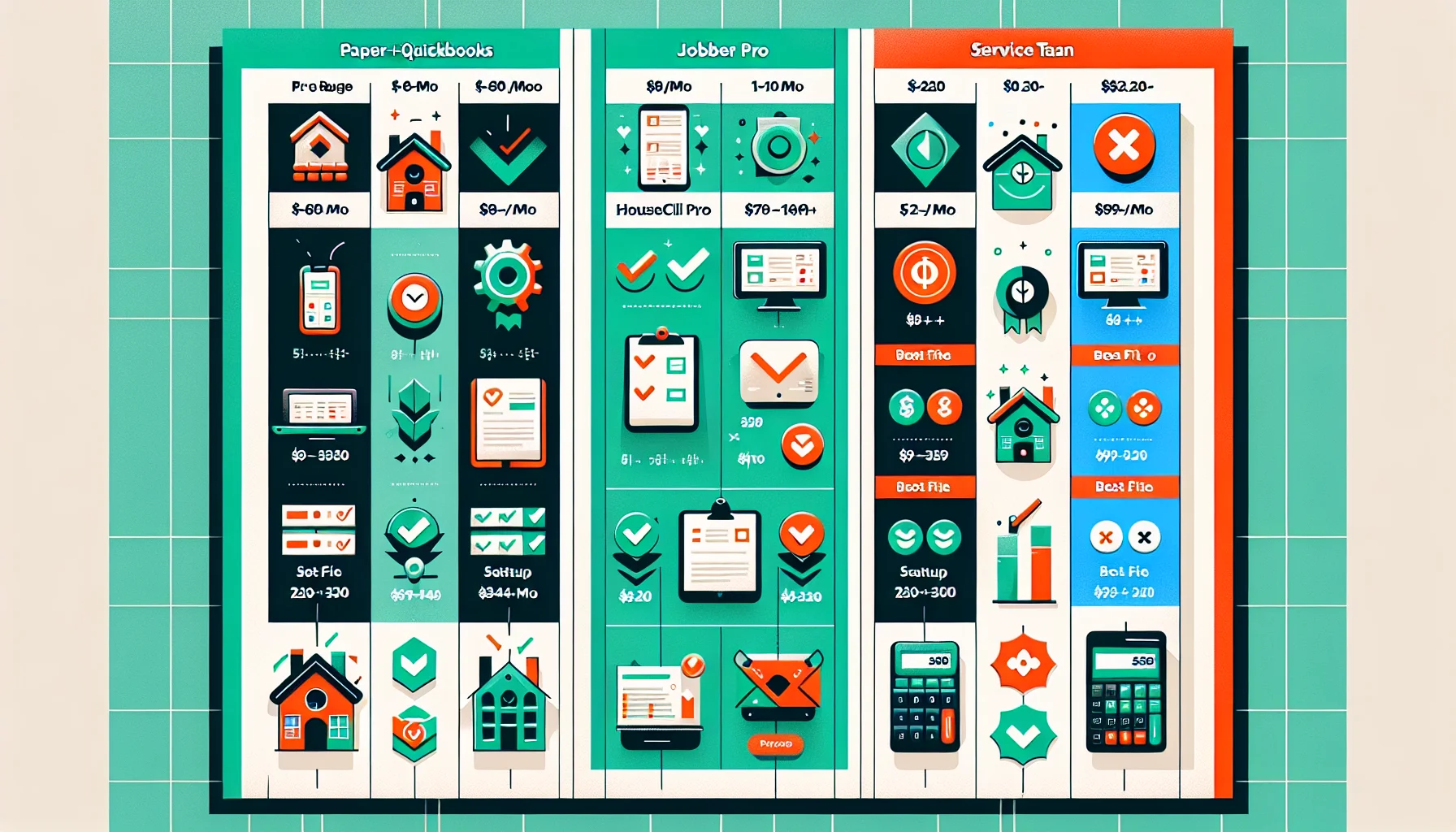
The Real Comparison: Housecall Pro vs. ServiceTitan vs. Jobber vs. Paper
Every HVAC forum thread about software turns into a religious war. Here’s the honest breakdown from someone who’s used two of these and evaluated all four.
Housecall Pro
- Cost: $79/month (Basic) to $329/month (XL). Per-user pricing on some tiers.
- Best for: 1–10 employee shops. New acquisitions that need to get off paper fast.
- Strengths: Fast setup (days, not months). Clean mobile app techs actually like. Built-in payment processing. Good customer communication features. Reasonable learning curve.
- Weaknesses: Reporting gets thin at scale. Limited inventory management. Customization ceiling — you’ll feel it around 12–15 techs.
- Honest take: This is the right answer for most acquisitions under $2M revenue. You can be operational in a week.
ServiceTitan
- Cost: Starts around $2,000–3,000/month for a small operation. Goes up fast with add-ons. They don’t publish pricing because it’s “custom” (read: as much as they can get).
- Best for: 50+ employee operations. Companies past $5M revenue with dedicated office staff.
- Strengths: Enterprise-grade everything. Deep reporting. Marketing ROI tracking. Pricebook management. It genuinely is the most powerful FSM in HVAC.
- Weaknesses: Brutal onboarding — 60–90 days minimum, and your team will hate it for the first 30. Expensive. Complex. Requires a dedicated admin or at least someone who owns the system. Contract lock-in.
- Honest take: If you bought a 6-person shop, ServiceTitan will eat you alive. It’s like buying a commercial oven to make toast. The sales rep will tell you you’re “investing in growth.” You’re investing in overhead you can’t support yet.
Jobber
- Cost: $69/month (Core) to $349/month (Grow). Straightforward per-plan pricing.
- Best for: 3–15 employee shops. Owners who want strong scheduling without paying ServiceTitan prices.
- Strengths: Best-in-class scheduling and dispatching interface. Clean quoting workflow. Good client portal. Straightforward setup.
- Weaknesses: Weaker reporting than Housecall Pro at the same price point. Payment processing is less integrated. HVAC-specific features are thinner — it’s a general field service tool, not an HVAC tool.
- Honest take: Solid choice. If scheduling complexity is your main pain point (lots of multi-day installs, maintenance routes, etc.), Jobber edges out Housecall Pro. For bread-and-butter residential service, Housecall Pro wins.
Paper + QuickBooks
- Cost: $0–80/month (just QuickBooks).
- Best for: Staying alive for 60 days while you figure out your real tech stack.
- Strengths: Zero learning curve. No migration risk. Techs don’t need smartphones. The previous owner’s staff already knows it.
- Weaknesses: Doesn’t scale past about 8 techs. No digital dispatch. Customer data trapped in physical files. No automated follow-up. You’re one filing cabinet fire away from losing your customer list.
- Honest take: If this is what you inherited, don’t panic. But do have an exit plan. This system has a ceiling, and that ceiling is lower than you think.
The Bottom Line
If you bought a shop with 6–12 employees and $800K–$2M in revenue — which describes most HVAC acquisitions — the answer is Housecall Pro or Jobber. Full stop. Pick one. Get it running. Move on to actually running your business.
The Migration Playbook: How to Switch Without Losing Everything
Switching software in a working HVAC shop is like changing the tires on a moving truck. It can be done. It can’t be done carelessly. Here’s the step-by-step approach that works.
Secure the Customer Data Before Anything Else
Customer data is the single most valuable digital asset in an HVAC business. Names, addresses, phone numbers, email addresses, equipment installed, service history, maintenance agreement status.
Critical: If the previous owner used their personal email, personal phone, or personal cloud storage for business data, this needs to be addressed in the purchase agreement. Not after closing. I’ve seen deals where the seller walked away with 10 years of customer history on their personal Gmail, and the buyer had no legal right to it.
Before you close:
- Confirm where all customer data lives.
- Get written assignment of any accounts, databases, or digital assets containing customer information.
- Export a backup of everything and verify it before closing day.
Export Everything From the Old System
Whatever the old system is, get every piece of data out of it.
- From QuickBooks: Export customer list, vendor list, chart of accounts, all transactions for the past 3 years minimum.
- From an FSM platform: Export customers, jobs, invoices, estimates, equipment records, maintenance agreements.
- From paper: This is the painful one. Budget 40–80 hours to digitize. Start with active maintenance agreement customers — they’re your most valuable.
- From spreadsheets: Consolidate into a single master spreadsheet. Clean up duplicates. Standardize formatting.
Export to CSV whenever possible. Every modern platform can import CSV files.
Run Parallel Systems for 30 Days
Do not flip a switch. Run the old system and the new system side by side for at least 30 days.
- New jobs get entered in both systems.
- Invoices go out from the new system, but you verify against the old.
- Techs use the new system for dispatch but can fall back to the old process if something breaks.
Yes, this is double work. It’s also how you catch problems before they become crises. You’ll find missing customer records, broken automations, and workflow gaps that weren’t obvious during setup.
Train One Tech First
Don’t roll out to the whole team at once. Pick your most adaptable tech — the one who already uses their phone for everything and doesn’t flinch at new apps. Get them comfortable on the new system.
Then pair them with the most resistant tech. Peer training beats boss training every time. Your champion tech can say “it’s actually not bad” with credibility you don’t have.
Cut Over and Commit
After 30 days of parallel operation, set a hard cutover date. Announce it a week in advance. On that date, the old system stops being an option.
Rip the bandage off. If you keep the old system as a “backup” indefinitely, half your team will never switch.
Budget the Time
Any software migration in an HVAC shop will consume 40–60 hours of the owner’s time over 4–6 weeks. That’s evenings and weekends. That’s time you’re not spending on operations, customer relationships, or business development.
Factor this into your transition plan. Don’t try to migrate software during peak cooling season. Q1 or early Q4 in most markets.
The Minimum Viable Tech Stack for a Newly Acquired HVAC Shop
Here’s exactly what I’d set up if I were buying a 4–8 person HVAC shop tomorrow. No fluff. Just the tools that keep money coming in and jobs going out.
The Core Stack
| Tool | Cost | Purpose |
|---|---|---|
| QuickBooks Online (Plus) | $90/month | Accounting, bookkeeping, financial reporting |
| Housecall Pro (Essentials) | $189/month | Dispatch, scheduling, invoicing, customer database |
| Google Workspace (Business Starter) | $7/user/month | Email, calendar, document storage, internal communication |
| Gusto or equivalent payroll | $40 + $6/employee/month | Payroll, benefits, tax filing |
Monthly total for 6 employees: ~$400–450/month.
That covers dispatching, scheduling, invoicing, payments, accounting, payroll, email, and basic customer management. That’s your Tier 1 and Tier 2 handled.
Worth Adding After 90 Days
- Podium or Birdeye ($300–400/month): Review generation and reputation management. Google reviews are the lifeblood of residential HVAC. Every 5-star review is a future service call. This is the single highest-ROI marketing tool for a local HVAC company.
- A real business phone system like OpenPhone or Dialpad ($15–25/user/month): Separates personal and business calls, gives you call recording, and lets you port the existing business number cleanly.
Skip For Now
- AI scheduling or route optimization. Your dispatcher’s brain is better than any algorithm at this scale.
- Predictive maintenance platforms. Cool concept. Unproven ROI for shops under $3M.
- Fleet GPS. You have 5 trucks. You know where your techs are. If you don’t trust them, GPS won’t fix that problem.
- Marketing automation beyond review management. Get your operations tight first. Marketing amplifies what’s already working — it doesn’t fix what’s broken.
- Customer portals and self-scheduling. Nice to have. Not need to have. Your phone still works.
The Growth Trigger
When do you upgrade? When you consistently feel the ceiling of your current tools. Specific signals:
- Scheduling conflicts more than once a week because the dispatch board can’t handle your volume.
- You’re losing track of maintenance agreements or letting renewals slip.
- Reporting takes hours because you’re pulling data from three different places.
- You’ve crossed 15 employees and your per-user costs are climbing.
That’s when you evaluate the next tier. Not before.
Frequently Asked Questions
Should I switch software during the first month?
No. Hard no. Your first month is about learning the business, building trust with employees, and keeping customers happy. Changing software introduces friction at the worst possible time. Wait 60 days minimum. The exception is financial software (QuickBooks, payroll, banking) — that transfers at close because it has to.
The previous owner used paper for everything. How do I digitize?
Start with your most valuable customers — active maintenance agreement holders. Enter them into your new system first. Then work through recent service call customers from the past 12 months. Everything older than 2 years goes into a box and gets entered only if that customer calls in.
Budget 40–80 hours total. Hire a temp or a virtual assistant for the data entry. Your time is better spent running the business. A motivated VA can digitize a filing cabinet of customer records for $500–800. That’s money well spent.
Is ServiceTitan worth it for a 10-person shop?
Almost certainly not. At 10 employees, you’ll pay $2,000–3,000/month for software that requires a dedicated admin to manage properly. You probably don’t have a dedicated admin. You’ll use 30% of the features and pay for 100%.
Housecall Pro or Jobber will do everything you need for $200–350/month. Put the $2,000/month difference toward a tech’s salary, or your marketing budget, or your own sanity.
The math changes around 25–30 employees with $4M+ revenue and dedicated office staff. That’s when ServiceTitan starts earning its keep.
Can I keep the old system running while I evaluate new options?
Yes, and you should. Don’t cancel or delete anything until your new system has been running smoothly for 90 days. Keep the old QuickBooks file. Keep the spreadsheets. Keep the paper files. Storage is cheap. Recreating lost data is not.
Once you’ve confirmed all critical data has been migrated and your new system is your source of truth, archive the old stuff. Don’t destroy it. Keep it accessible for at least two years — you’ll need it for tax questions, warranty lookups, and the occasional “what did we charge the Johnsons for that furnace install in 2023?” conversation.
What if my techs refuse to use the new software?
This is a leadership problem, not a technology problem. Every tech who’s been in the trade for 10+ years has survived at least two software changes. They’ll survive this one.
The keys: train them properly (not a 15-minute demo — real hands-on training), give them a reasonable adjustment period (2–3 weeks), and make the expectation clear. The software isn’t optional. How you support them through the transition is what matters.
If one tech absolutely won’t adapt after genuine support and reasonable time, that’s a different conversation. But I’ve found that 90% of “refusal” is actually fear of looking stupid with new technology. Pair them with a younger tech for a few days. It works.
How do I evaluate if my inherited tech stack is good enough to keep?
Ask three questions:
- Can you see your schedule and dispatch jobs in under 60 seconds? If not, your scheduling tool needs upgrading.
- Can you pull a list of every customer with a maintenance agreement, their renewal date, and their equipment? If not, your customer database needs work.
- Can your accountant generate a P&L, balance sheet, and cash flow statement from your system without calling you? If not, your accounting setup needs attention.
If the inherited stack passes all three tests, keep it. It’s working. Don’t fix what isn’t broken just because something shinier exists.
The Bottom Line
The right tech stack for a newly acquired HVAC shop is boring. It’s QuickBooks, a mid-tier FSM platform, Google Workspace, and payroll software. Total cost: $400–450/month. Setup time: 1–2 weeks for basic functionality, 4–6 weeks for full migration.
The wrong tech stack is whatever the most aggressive sales rep convinced you to buy during the dopamine rush of closing on your business.
Wait 60 days. Assess what you inherited. Migrate deliberately. Train your team properly. And remember that software is a tool, not a strategy. The best HVAC companies I’ve seen weren’t the ones with the fanciest dashboards. They were the ones that answered the phone on the first ring, showed up on time, and fixed it right the first time.
No app does that for you.